What's your Sleeper username?
We'll show the leagues already tied to that username.
No password. Muuted reads your leagues the same way Sleeper's public profile does.
Where do I find my username?
Find your league in ESPN.
Type the League ID from ESPN's League Info screen (where to find it is right below), or paste your league's address from fantasy.espn.com.
No password. Nothing is changed in ESPN.
Where do I find the League ID?
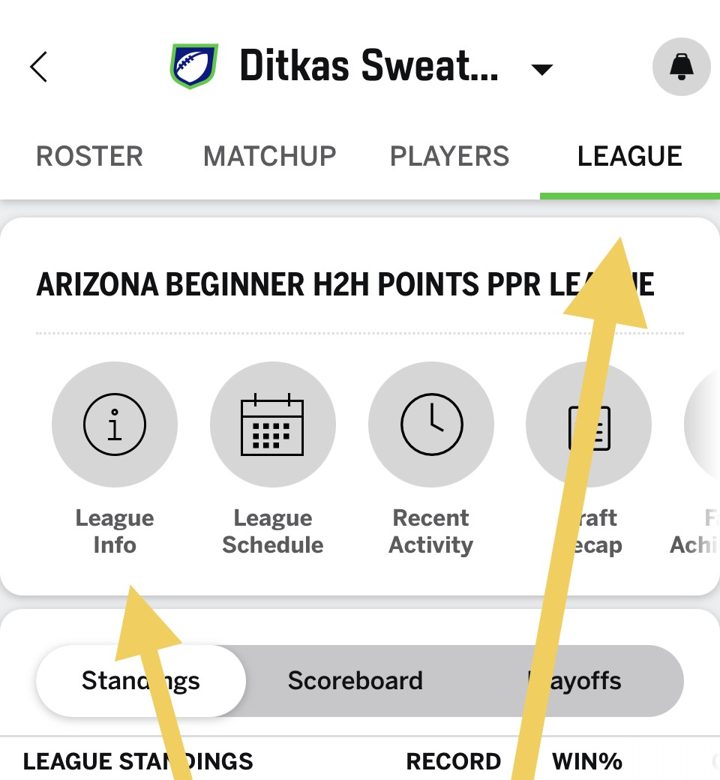
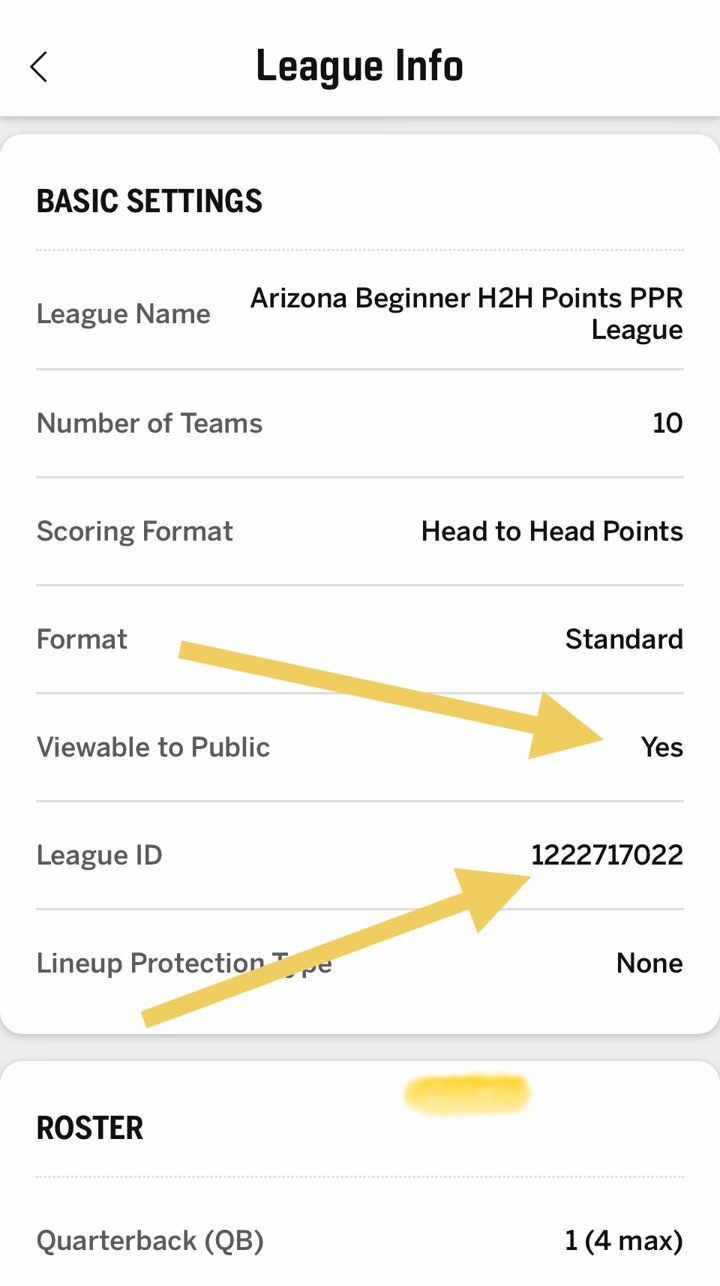
Found your league. Which team is yours?
Private league? Add the two cookies
ESPN won't show us this league.
Check that that number is the right League ID.
Open this league in ESPN ↗If it is, the league is probably private. No problem: one screenshot gets you the same live scoring in Muuted.
Open this week's Matchup screen so both teams and their players are visible.
Three ways in. Pick one.
Open this week's Matchup screen in your league app. If you can copy the page, pasting is more accurate than a screenshot.
Paste something first.
Only the player names are kept. No password, no cookies, nothing changes in your league app.
How do I take the screenshot?
This week's Matchup screen, phone held upright, your whole starting lineup in frame, nothing on top of it (no pop-ups, banners or keyboard). Bench is optional; take a second one for it.
We couldn't read the player names.
Take a new screenshot with the lineup open and the names fully visible.
Look right?
These look like different leagues.
Same league, same score at the top. We sorted your screenshots by that. If a pile is wrong, choose the screenshots again, one league at a time.
Who goes in these spots?
Start typing and tap the match.
What should we call the two teams?
Add your players by name.
Type a name and tap the match. Starters first, then bench.
Add another league?
Open this league in Muuted and tap Update team. Add a fresh screenshot and you're current again.
Welcome to your Fantasy League
Scores, matchups and player news — right inside Muuted. No league login. No clutter.
Tell us where you play.
ESPN or Sleeper connect directly; Yahoo, NFL and CBS work by pasting your roster or a screenshot.
Add your league.
Your ESPN league ID, Sleeper username, a paste or a screenshot.
You’re all set.
Your matchup, standings and player news show up here.
READ ONLY Muuted can't change your lineup, add players or post anything to your league.